Data Driven Digital

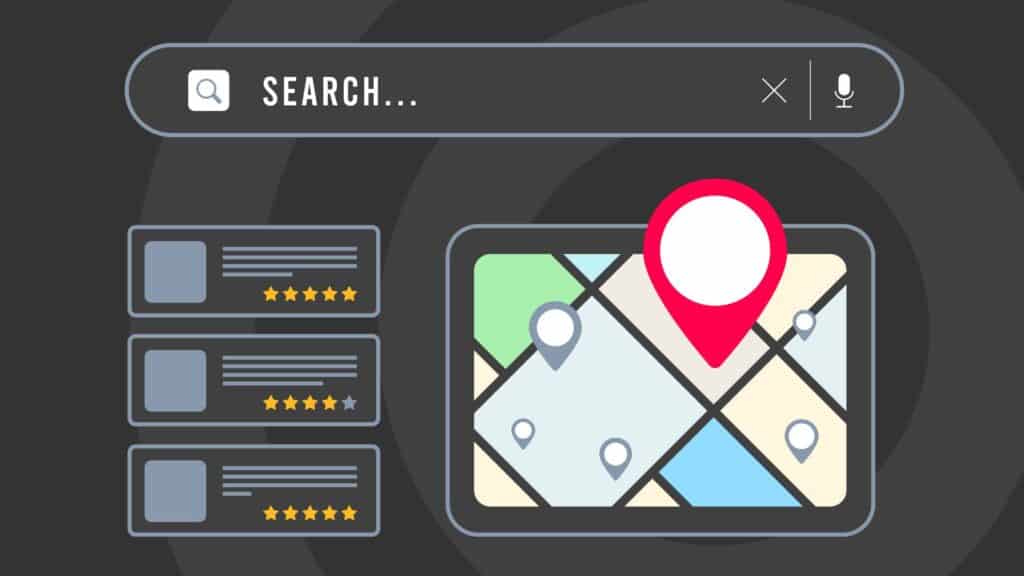
Google search results with map pin and local business listings showing star ratings – representing Google Business Profile SEO and Local 3-Pack rankings.

Google Business Profile SEO: How to Rank Higher in the Local 3-Pack

If you run a local business on the Central Coast, in Newcastle, Sydney – or anywhere, really – one of the fastest ways to win more customers is by showing up in the Google Maps Local 3-Pack. That’s the section you see at the very top of Google results, where three highlighted businesses appear alongside the map. Think about it: when was the last time you scrolled past those top three? Exactly. The 3-Pack is prime real estate – and with the right Google Business Profile SEO strategy, your business can claim one of those spots. In this guide, I’ll walk you through: What Google Business Profile SEO actually is. Why it matters more than ever for local businesses. The ranking factors that make the difference. Practical tips, advanced hacks, and common mistakes to avoid. What is Google Business Profile SEO? Google Business Profile SEO is all about optimising your GBP (formerly Google My Business) so it ranks higher in local searches and has a better chance of landing in the Local 3-Pack. Unlike traditional SEO that focuses on your website, GBP SEO is about the details inside your profile: Your categories. Services. Reviews. Photos. Posts and updates. Here’s a quick example: imagine two plumbers in Newcastle. One has an incomplete profile with no photos and two old reviews. The other has a fully fleshed-out profile, regular posts, updated hours, and 50 glowing reviews. Which one do you think Google is going to highlight? That’s why GBP optimisation is such a game-changer. Why Google Business Profile SEO Matters For Local Businesses. The Local 3-Pack is where local buying decisions happen. If someone in Terrigal searches “best café near me” or a homeowner in Hamilton types “emergency plumber Newcastle,” they’ll almost always click one of the top three map listings. If your business isn’t in that pack, you’re invisible to a huge chunk of potential customers. Here’s why this matters: Visibility = trust. Customers trust what they see first. Action-ready. GBP listings have “Call,” “Directions,” and “Website” buttons — instant conversions. Competitive edge. Even small businesses can outrank bigger ones with the right optimisation. For many of our clients on the Central Coast and in Newcastle, optimising their Google Business Profile was the single biggest driver of phone calls and store visits – even before running ads. Google Business Profile Ranking Factors. So what makes Google decide which businesses appear in that coveted 3-Pack? It comes down to a few core factors: Relevance – Does your profile actually match the search? (e.g., “SEO agency Central Coast” vs just “Marketing agency.”) Distance – How close are you to the person searching? Google wants to show nearby options. Prominence – How established and trusted your business looks online (reviews, citations, backlinks). Profile completeness – Google rewards businesses that put in the work and keep their profile up to date. Engagement – Posting updates, responding to reviews, adding new photos – all signs that your business is active. ? Pro tip: You can’t change your physical location, but you can absolutely improve relevance, prominence, and engagement with smart optimisation. Google Business Profile SEO Tips & Hacks. Here’s where things get practical. 1. Claim and Verify Your Profile. Unverified profiles don’t get visibility – it’s as simple as that. Take the time to verify through Google (postcard, phone, or email). A Central Coast salon we worked with saw a jump in calls within weeks of verifying their GBP. 2. Nail Your Categories. Categories are a major ranking factor. Pick a primary category that matches your main service. Add secondary categories for other offerings. Check what your competitors in the 3-Pack are using. For example, a Newcastle fitness studio might set “Gym” as the primary category and add “Personal Trainer” and “Yoga Studio” as secondary ones. 3. Keep Your Business Info Spot-On (NAP). Google hates inconsistency. Make sure your Name, Address, and Phone number (NAP) are identical everywhere – from your website to directories. Bonus: use a local number instead of a generic 1300 line to strengthen local signals. 4. Showcase Your Services & Products. Fill in the services tab with detailed descriptions. A Sydney digital agency could list “SEO Sydney,” “Google Ads Management,” and “Website Design” – with a few sentences for each. The more detail, the better. 5. Make Reviews Your Secret Weapon. Reviews aren’t just for trust – they’re a ranking signal. Ask every happy customer for a review (QR codes in-store work wonders). Reply to every review, weaving in keywords naturally. Example: “Thanks for trusting us with your SEO in Newcastle, John – we’re thrilled with the results too!” 6. Post Like You Mean It. Think of Google Posts like social media for your GBP. Post updates weekly – new offers, seasonal promos, events, or even just news. A café in Newcastle might share daily specials; a Central Coast builder could highlight a new project. 7. Photos & Videos That Pop. Businesses with photos get significantly more clicks. Don’t just add one logo and call it a day – upload: Team photos. Before-and-after shots. Customer experiences. 30-second video intros. 8. Use the Q&A Section Proactively. You can (and should) seed your own FAQs. A tradie might add:Q: Do you offer 24/7 emergency plumbing in Newcastle?A: Yes, we’re available 24/7 across Newcastle and the Hunter. 9. Track Insights & Learn. GBP Insights shows you what searches people use to find you. If lots of people are finding you through “SEO services Central Coast,” that’s a signal to double down on content and posts around that term. https://www.youtube.com/watch?v=WpCeu4ezaeI&t=50s Advanced Google Business Profile Hacks. Ready to go beyond the basics? These tricks can push you past competitors. Optimise for the Local 3-Pack Create location-specific landing pages on your site. Get listed in local directories and industry associations. Add LocalBusiness schema to your website. Add UTM Tracking By tagging your GBP links with UTM codes, you’ll know exactly how many calls, visits, and leads are coming from your profile in GA4. Geo-Tag Images Before uploading,

Google Business Profile SEO: How to Rank Higher in the Local 3-Pack Read More »

AI SEO vs. Traditional SEO

What is AI SEO and How Does It Differ from Traditional SEO

In the ever-evolving world of digital marketing, search engine optimisation (SEO) remains a crucial strategy for businesses looking to improve their online presence. However, with the advent of artificial intelligence (AI), the landscape of SEO is undergoing significant changes. In this article, we’ll explore what AI SEO is, how it differs from traditional SEO, and what it means for businesses. Traditional SEO involves optimising a website’s content and structure to make it more appealing to search engines. The goal is to improve the website’s ranking on search engine results pages (SERPs) for relevant keywords. Traditional SEO strategies typically include: Keyword research. Keyword research is the cornerstone of traditional SEO. It involves identifying the specific words and phrases that potential customers use when searching for products or services online. This process is crucial because using the right keywords can significantly impact a website’s visibility on search engines. Traditionally, SEO professionals would use tools to analyse search volumes and competition for various keywords, often relying on historical data and industry insights. Choosing the right keywords involves balancing relevance, search volume, and competition. High-volume keywords are attractive but often come with stiff competition. Therefore, traditional SEO strategies also focus on finding long-tail keywords, which are more specific phrases with lower competition but higher conversion potential. This nuanced approach requires a deep understanding of the target audience and their search behaviours. On-page optimisation. On-page optimisation refers to the practice of fine-tuning individual web pages to rank higher on SERPs and attract more relevant traffic. This involves adjusting various elements like meta tags, headers, and images. Meta tags, such as title tags and meta descriptions, play a critical role in helping search engines understand the content of a page. Headers, on the other hand, break down content into easily digestible sections, enhancing both SEO and user experience. Images also contribute to on-page optimisation. Properly optimised images, with relevant alt text and compressed file sizes, can improve page load speed and accessibility, factors that search engines take into account when ranking pages. On-page optimisation is an ongoing process, as it requires regular updates and adjustments to align with changes in search engine algorithms and user preferences. Off-page optimisation. Off-page optimisation focuses on building a website’s authority and credibility through external factors. The most common strategy is acquiring backlinks from reputable websites, which act as votes of confidence for search engines. Backlinks are crucial because they indicate to search engines that other authoritative sites find the content valuable and trustworthy. Traditional off-page SEO also involves social media marketing and online reputation management. Engaging with audiences on social platforms can drive traffic and create opportunities for sharing content, indirectly boosting SEO efforts. Online reputation management, on the other hand, ensures that the brand maintains a positive image, which can influence search rankings and user trust. Content creation. Content creation is at the heart of traditional SEO. It involves developing high-quality, relevant content that provides value to users and encourages them to stay longer on the site. The content must be informative, engaging, and aligned with the target audience’s needs and preferences. This not only helps in attracting and retaining users but also signals to search engines that the site offers valuable information. Blog posts, articles, infographics, and videos are common content types used in traditional SEO. Each format has its unique benefits, and a diverse content strategy can cater to different audience preferences. Regularly updating and expanding content ensures that it remains relevant and can adapt to evolving search trends and algorithm changes. These strategies have been the backbone of SEO for years, but the introduction of AI is beginning to change the way SEO is performed. What is AI SEO? AI SEO refers to the use of artificial intelligence technologies to enhance SEO processes. AI can analyse vast amounts of data quickly, identify patterns, and make predictions, which can significantly improve SEO strategies. Here are some ways AI is being integrated into SEO: Automated keyword research. AI has revolutionised keyword research by automating the process of analysing search data to identify trending keywords and predict future trends. AI algorithms can process vast datasets in real-time, providing insights that were previously unattainable through manual methods. This automation allows businesses to stay ahead of the competition by quickly adapting to changes in search behaviour and emerging trends. AI-driven keyword research tools can identify long-tail keywords with high potential, even in niche markets. By understanding user intent and search context, AI can suggest keywords that align more closely with what users are actually looking for. This targeted approach increases the chances of attracting qualified traffic and improving conversion rates. Content optimisation. Content optimisation is another area where AI excels. By assessing content quality and relevance, AI can provide actionable insights and suggestions for improvement. AI tools analyse factors such as readability, keyword density, and semantic relevance to ensure that content meets both user expectations and search engine criteria. AI-powered content optimisation tools can also predict how content will perform based on historical data and current trends. This allows businesses to make data-driven decisions about what content to produce, update, or remove. By continuously optimising content, businesses can enhance user engagement, increase dwell time, and ultimately improve search rankings. Voice search optimisation. With the rise of voice-activated devices, optimising content for voice search has become essential. AI plays a crucial role in understanding natural language queries, which are often longer and more conversational than text-based searches. By analysing voice search patterns, AI can help businesses tailor their content to match these unique query structures. Voice search optimisation involves using natural language processing (NLP) to understand and predict how users phrase their queries. AI tools can suggest adjustments to content structure and language to ensure it aligns with voice search trends. This not only improves visibility in voice search results but also enhances overall user experience. User experience analysis. User experience (UX) is a critical factor in SEO, and AI provides valuable insights into how users interact with a website. By

What is AI SEO and How Does It Differ from Traditional SEO Read More »

Top 10 SEO Mistakes

Top 10 SEO Mistakes We See (And How To Fix Them)

Search engine optimisation (SEO) is one of the most powerful tools for driving organic traffic to your website – but it’s also an area where small missteps can have a big impact. Whether you’re a business owner, marketer, or content creator, understanding common SEO pitfalls is key to improving your search rankings and getting the most from your digital efforts. In this article, we’ll break down the top 10 SEO mistakes we see time and time again – and, more importantly, how you can fix them. 1. Keyword research. One of the most common SEO mistakes is not conducting thorough keyword research. Keywords are the terms your potential customers use to find your products or services. Without proper research, you’re likely to target the wrong keywords, resulting in low visibility. Importance of keyword research. Understanding the significance of keyword research is foundational. Keywords are the bridge between what people are searching for and the content you provide to fill that need. This process involves discovering words and phrases that potential customers input into search engines. Without this understanding, you could misalign your content with user intent, leading to missed opportunities. Tools for effective keyword research. Start by using tools like Google Keyword Planner, SEMrush, or Ahrefs to identify relevant keywords with a good balance of search volume and competition. These tools offer insights into how often specific terms are searched and the competitiveness of the keywords. Long-tail keywords, which are longer and more specific keyword phrases, often convert better because they catch people later in the buying cycle. Crafting a keyword strategy. Developing a keyword strategy involves more than just picking a few keywords. It requires understanding your audience, predicting their search behaviour, and creating a comprehensive list that includes primary and secondary keywords. Integrate these keywords naturally into your content, ensuring they align with the overall search intent of your target audience. 2. Ignoring On-Page SEO. On-page SEO involves optimising individual web pages to rank higher and earn more relevant traffic. Ignoring this aspect can significantly impact your site’s performance. Optimising title tags and meta descriptions. Ensure each page has a unique title tag and meta description. These elements are crucial as they serve as a brief summary of your page content for search engines. An effective title tag should be concise and include your primary keyword, while a meta description should provide a compelling reason for users to click on your link in the search results. Utilising header tags effectively. Use header tags (H1, H2, etc.) to structure your content logically. Header tags help search engines understand the hierarchy of your content, making it easier for them to index your pages. They also improve user experience by breaking up content into manageable sections, which is particularly beneficial for longer articles. Internal linking strategy. Include internal links to other relevant pages on your site. This practice not only helps with SEO by spreading link equity but also improves user navigation. When you strategically interlink your content, you guide visitors to other valuable pages, increasing the time they spend on your site and reducing bounce rates. 3. Overlooking mobile optimisation. With more users accessing websites via mobile devices, mobile optimisation is crucial. A lack of mobile-friendly design can lead to high bounce rates and lower rankings. Importance of mobile-friendly design. Mobile optimisation is no longer optional; it’s a necessity. A significant portion of web traffic comes from mobile devices, and search engines prioritise mobile-friendly sites in their rankings. A site that isn’t optimised for mobile can frustrate users, leading to high bounce rates and reduced conversions. Responsive design techniques. Utilise responsive design techniques to ensure your site is accessible and functional on all devices. Responsive design allows your site to adapt to different screen sizes, providing a seamless user experience whether on a smartphone, tablet, or desktop. This adaptability is crucial for maintaining user engagement and satisfaction. Testing mobile compatibility. Test your site’s mobile compatibility using tools like Search Console’s mobile usability report. This tool helps identify issues that could hinder mobile performance. Regular testing ensures that updates or changes to your site don’t negatively impact its mobile usability, keeping your site optimised for mobile users. 4. Poor website speed. Slow-loading websites can frustrate users and lead to higher bounce rates, negatively affecting your SEO. Speed is a ranking factor for Google, so it’s essential to optimise your site’s loading time. The impact of website speed on SEO. Website speed is not just a user experience issue; it’s a critical factor in SEO. Slow websites discourage users, leading to high bounce rates and lower engagement. Google considers speed when ranking pages, so a sluggish site can result in lower search engine rankings. Techniques for speed optimisation. Compress images, leverage browser caching, and minimise HTTP requests. These techniques can significantly reduce load times. Compressing images reduces their file size without compromising quality, while browser caching stores parts of your site on users’ devices, speeding up load times on subsequent visits. Tools for measuring and improving speed. Tools like Google PageSpeed Insights provide specific recommendations to improve your site’s speed. They analyse your site and offer actionable insights on areas to enhance, such as image optimisation and script minification. Regular use of these tools ensures your site remains fast and competitive. 5. Failing to use Analytics. Without analytics, you can’t measure your SEO efforts’ effectiveness. Many businesses make the mistake of not monitoring their site’s performance. Implementing Analytics tools. Implement tools like Google Analytics and Google Search Console to track your website’s traffic, user behaviour, and search performance. These platforms offer a wealth of data that can inform your SEO strategy and highlight areas for improvement. Understanding key metrics. Analyse data such as bounce rate, session duration, and conversion rates to gain insights into user behaviour. Understanding these metrics helps you identify what’s working and what isn’t. This knowledge is crucial for making informed decisions about content, design, and marketing strategies. Regular data analysis. Analyse this data regularly to make informed

Top 10 SEO Mistakes We See (And How To Fix Them) Read More »

Local SEO Tips Small Business

Local SEO Expert Tips for Small Businesses

In today’s digital era, having a robust online presence is crucial for small businesses aiming to attract local customers. Local SEO, or Search Engine Optimisation, focuses on enhancing your business’s visibility in local search results. Whether you’re a local SEO specialist or a small business owner, understanding how to effectively utilise local SEO services can significantly impact your business’s growth. This article provides expert tips and strategies to help you thrive in the local market. Understanding Local SEO. Local SEO is all about optimising your online presence to attract more business from relevant local searches. These searches occur on Google and other search engines. For instance, if you own a restaurant on the Central Coast, you want your business to appear when someone searches for “best restaurants on the Central Coast.” The basics of Local SEO. At its core, local SEO involves optimising your website and online profiles to ensure they appear prominently in local search results. This includes understanding how search engines determine relevance and proximity to a user’s location. Engaging in local SEO means prioritising your business’s appearance in directories and map services, ensuring your information is accurate and up-to-date. The importance of local search visibility. Local search visibility means your business is easily found when potential customers perform location-based searches. This visibility is crucial because it directly impacts your brand recognition and trustworthiness. When your business consistently appears in top search results, it reassures customers of your credibility and encourages them to choose you over competitors. How search engines determine local rankings. Search engines use various factors to determine local rankings, including relevance, distance, and prominence. Relevance refers to how well your business profile matches the search query, while distance considers how far your location is from the searcher. Prominence is gauged by factors such as reviews, backlinks, and your overall online presence, which collectively influence your search ranking. Why Local SEO matters. Local SEO is vital for businesses that rely on local customers. Here are some reasons why: Increased Visibility: Local SEO ensures that your business appears in local search results, making it easier for potential customers to find you. Local SEO significantly boosts your online presence, allowing your business to be seen by a larger audience. This visibility is critical in a world where consumers frequently turn to search engines to find local services. By appearing in local search results, you increase the chances of attracting foot traffic to your physical location. Targeted Traffic: It helps attract more targeted traffic, which means more potential customers are visiting your site. When your business appears in local search results, the traffic you receive is often more relevant and likely to convert. Local SEO targets consumers in your immediate vicinity, who are actively searching for the products or services you offer. This means the visitors you attract are more likely to engage with your content and make a purchase. Pair this with Google Ads for even more high-intent traffic. Higher Conversion Rates: Local searches often lead to higher conversion rates because people searching locally are usually ready to make a purchase or visit a store. The intent behind local searches is typically transactional, with users seeking immediate solutions to their needs. This readiness to purchase translates into higher conversion rates, as potential customers are more likely to follow through with a purchase or visit. By optimising for local SEO, you align your business with these high-intent consumers, ultimately driving sales. Tips for effective Local SEO. Understanding the importance of local SEO is the first step. Now, let’s dive into some expert tips to help your small business succeed. 1. Optimise your Google My Business listing. One of the most effective ways to improve your local SEO is by optimising your Google My Business (GMB) listing. This free tool helps your business appear in Google Maps and local search results. Claim and Verify Your Listing: Ensure that you claim and verify your GMB listing. This gives you control over the information displayed. Verifying your GMB listing is crucial as it establishes your business’s legitimacy and ensures you have control over your online information. This step prevents misinformation and allows you to manage how your business appears to potential customers. Complete All Information: Provide complete and accurate information, including your business name, address, phone number, website, and business hours. A comprehensive GMB profile enhances your business’s credibility and makes it easier for customers to find and contact you. Accurate information helps avoid confusion and ensures that customers can reach you during your stated business hours. Add Photos and Updates: Regularly update your GMB profile with new photos and posts to engage potential customers. Keeping your GMB profile updated with fresh content such as photos and posts demonstrates that your business is active and responsive. Regular updates engage your audience, provide insights into your offerings, and can highlight special promotions or events. 2. Use local keywords Incorporate local keywords into your website content. This helps search engines understand where your business is located and what you offer. Research Local Keywords: Use tools like Google Keyword Planner and SEMrush Keyword Magic Tool to find relevant local keywords that potential customers are searching for. Conducting local keyword research helps you identify the terms and phrases most commonly used by your target audience. Understanding these keywords enables you to tailor your content to better match what potential customers are searching for. Optimise Your Content: Include local keywords in your website’s title tags, meta descriptions, headers, and throughout your content. Strategic placement of local keywords throughout your website’s content helps search engines recognise the geographical relevance of your business. This optimisation enhances your site’s visibility for location-based searches, increasing the likelihood of attracting local traffic. 3. Build local citations. Local citations are online mentions of your business’s name, address, and phone number (NAP). They help improve your local SEO by building credibility and trust. List Your Business in Online Directories: Ensure your business is listed in relevant online directories such as Yelp, Yellow Pages,

Local SEO Expert Tips for Small Businesses Read More »

What Is a Web Design Agency? Everything You Need to Know

“A user interface is like a joke. If you have to explain it, it’s not that good.” – Martin LeBlanc Your website is often the first touchpoint potential customers have with your business. And in an age where attention spans are shrinking, that first impression needs to be fast, seamless, and powerful. That’s where a web design agency comes in. In this guide, we’ll walk you through everything you need to know about working with a web design agency: what they do, why they matter, and how to choose the right one for your business. What is a web design agency? A web design agency is a professional company that specialises in building websites tailored to a business’s goals, audience, and brand. It goes far beyond just making things look good. A great agency blends design, functionality, and strategy to build a website that performs – visually and commercially. Web design agencies work closely with business owners, marketing teams, and developers to build intuitive, responsive websites that: Reflect brand identity Deliver great user experience Perform well in search engines Convert visitors into customers Whether you’re starting from scratch or need a re-design, a web design agency brings the technical skill and creative direction to get it right. Why your business needs a web design agency. A web design agency does more than just make your site look good – it builds the foundation for your entire online presence. In a digital-first world, your website is often the difference between a lead and a lost opportunity. Here’s why working with an expert agency can elevate your business. First impressions matter. Your website is your digital storefront. If it looks outdated, loads slowly, or is hard to navigate, you risk losing credibility. A professional web design agency ensures your site makes a strong, positive impression the moment someone lands on it. Custom design for your brand. Cookie-cutter templates won’t cut it. A custom-built site aligns with your brand’s tone, values, and goals. A web design agency will create a design that supports your messaging and business strategy. Optimised for all devices. Mobile accounts for over half of global web traffic. If your website isn’t mobile-responsive, you’re missing out. Agencies develop sites that look and function seamlessly on every screen size. Built with SEO in mind. It doesn’t matter how beautiful your website is if no one can find it. A web design agency integrates search engine optimisation from the beginning – using clean code, keyword-rich content, fast load speeds, and structured layouts that help boost your rankings. Saves you time and headaches. Building a website is time-consuming. And unless you know exactly what you’re doing, costly mistakes are almost guaranteed. An experienced agency streamlines the process, saving you time and ensuring quality. What does a web design agency actually do? From initial strategy to post-launch support, a web design agency wears many hats. If you’ve ever wondered what goes on behind the scenes when building a professional website, this section breaks it all down step-by-step. Discovery & strategy. Every successful website starts with a plan. Agencies work with you to understand your business, audience, and objectives. This phase often includes: Market research Competitor analysis Goal setting Brand discovery UX design. User experience (UX) design maps out how visitors interact with your website. It’s about more than just buttons and navigation bars – it’s about flow, clarity, and usability. Front-End & Back-End development. Your site needs to look good and work well. Web design agencies handle both front-end (what users see) and back-end (what makes it function) development, ensuring everything runs smoothly and efficiently. Mobile & browser compatibility. Your website will be tested across all devices and browsers. Agencies build sites that are fast, functional, and visually consistent, whether your customer is on Chrome, Safari, or their smartphone. SEO optimisation. From meta tags and heading structure to image compression and internal linking, a web design agency integrates SEO best practices during the build process to help your site rank. Content creation. Some agencies also offer content writing, photography, and video services to help bring your brand to life with professional copy and visuals. Website testing. Before your site goes live, it goes through thorough testing. This includes usability testing, bug fixing, responsiveness checks, and load speed analysis. Ongoing maintenance & support. A good agency doesn’t disappear after launch. You’ll get support for: Technical issues Software updates Security monitoring Performance reporting What to look for in a web design agency. Not all web design agencies are created equal. The right partner will understand your vision, communicate clearly, and deliver results. Here’s how to separate the pros from the pretenders. Proven experience. Check their portfolio. Do they have experience in your industry? Have they worked with similar goals or businesses? Collaborative approach. A great agency treats you like a partner, not a project. Look for transparent communication, defined timelines, and clear processes. In-house team. Ask if they outsource. At Data Driven Digital, we keep everything in-house to ensure quality control and consistent communication. That matters. Long-term thinking. You’re not just launching a site – you’re investing in a tool that should grow with your business. Look for a web design agency that offers ongoing support and future-proof solutions. Why choose Data Driven Digital as your web design agency. At Data Driven Digital, we don’t just build websites. We craft high-performing digital experiences designed to grow your business. Here’s how we stand out: 100% in-house design and development Custom-built solutions tailored to your goals SEO-first approach baked into every build Mobile-first, user-focused design Transparent timelines and pricing We work with ambitious brands across the Central Coast and beyond, helping them turn their website into a true revenue-driving asset. Final thoughts. A modern website isn’t a luxury – it’s a necessity. And a great web design agency is your partner in making that website work hard for your brand. If you’re ready to transform your online presence with a website that looks great, functions flawlessly, and

What Is a Web Design Agency? Everything You Need to Know Read More »

How to Choose the Best Digital Marketing Agency for Your Business.

“The right digital marketing agency doesn’t just sell your brand – it becomes part of it.” The right digital marketing agency can transform your business, drive revenue, and establish your brand as an industry leader. The wrong one? Well, they can waste time, money and opportunities. With over nine thousand advertising agencies (in Australia alone) all competing for your attention, how do you separate the experts from the amateurs? This guide will walk you through several important factors you need to consider before choosing a digital marketing agency that fits your business needs. Why choosing the right digital marketing agency matters. The digital landscape is more competitive than ever. In a world where consumers are bombarded with thousands of ads every single day, your marketing needs to cut through the noise. Whether you need search engine optimisation (SEO), pay-per-click (PPC) advertising, social media management (SMM), or content marketing, partnering with the right digital agency ensures your budget is well-spent and your brand message reaches the right audience. 1. Define your business goals and marketing needs. Before reaching out to any agency, you must be clear on your objectives. Are you looking to: Increase brand awareness? Generate leads or sales? Improve customer retention? Expand into new markets? Knowing what you need helps you identify an agency that specialises in the right services. Some agencies focus on niche areas like SEO or PPC advertising, while others, like Data Driven Digital, offer full-service solutions to cover all aspects of online marketing under one roof. ? Action step: Write down your top three marketing goals and match them with the services that agencies provide. This will help you shortlist the right candidates. 2. Look for flexibility – avoid long-term lock-in contracts. A reputable digital marketing agency won’t need to trap you in long-term contracts. If they deliver results, you’ll stay because you want to – not because you have to. ? Red flags to watch for: Contracts longer than six months with no opt-out clause Agencies that won’t provide performance reports before renewal discussions Promises that sound too good to be true ? Pro tip: Look for agencies that offer month-to-month or flexible contracts, giving you the freedom to leave if results don’t meet expectations. At Data Driven Digital, we have no lock-in contracts, so you’re free to leave at any time if you’re not satisfied with the results – although we doubt you ever will be! 3. Ensure you own your data and accounts. A common pitfall is allowing an agency to create and control your marketing accounts. If they own your Google Ads, social media accounts, or website data, you risk losing everything when you part ways. ? A key question to ask: “Do we retain full ownership and access to all accounts and data?” If an agency hesitates to answer, walk away. At Data Driven Digital, we ensure that you own all your accounts and data, giving you full control over your marketing assets at all times. 4. Evaluate experience and industry expertise. Not all digital marketing agencies are created equal. Some thrive in e-commerce, while others excel in B2B lead generation. Choose an agency that understands your industry’s challenges and knows how to engage your target audience. ? How to check an agency’s track record: Browse case studies and testimonials Ask for specific client success stories Research their online reviews 5. Avoid overloaded account managers. Great agencies give their clients attention. If one account manager handles 30+ accounts, your business might not get the focus it deserves. ? A key question to ask: “How many clients does each account manager oversee?” If the number is high, you may struggle to get timely responses or tailored strategies. At Data Driven Digital, we have the right people and resources in place to ensure that all our clients receive the attention and support they deserve. 6. Assess the agency’s size and client fit. A small business partnering with a large agency may get lost in the shuffle. On the other hand, if you’re a large business working with a small agency, they may lack the resources to scale your campaigns effectively. ? Factors to consider: Does the agency specialise in businesses of your size? Can they handle your marketing budget efficiently?  At Data Driven Digital, we’re a small, independent digital agency with over 30 years of combined experience working with businesses of all shapes and sizes – from startups to SMEs and even large multinationals. This depth of experience allows us to craft tailored strategies that meet the unique needs of every client, regardless of scale or industry. 7. Where’s their talent located? Some agencies outsource key services overseas to cut costs, which may impact quality and response times. High turnover rates within the agency can also lead to inconsistent performance. ? Questions to ask: “Where is your team based?” “How long has your team been working together?”  At Data Driven Digital, we do not outsource or offshore any work – everything is done in-house on the Central Coast of Australia, ensuring quality and consistency in every project. 8. Prioritise transparency and communication. A digital marketing agency should be an extension of your team, not a mystery. They should clearly explain their strategies, regularly report on progress, and be open about how their budget is spent. ? What to Look For: Detailed reporting with actionable insights Clear communication about campaign performance A dedicated point of contact for questions ? Key Questions to Ask: “How do you measure success?” “How often will we receive updates and reports?” Transparency is at the heart of everything we do at Data Driven Digital. We believe our clients deserve complete visibility into their marketing campaigns, performance metrics, and budget allocation. From our detailed reporting to our open communication practices, we ensure you always have a clear understanding of where your investment is going and the impact it’s making. No hidden fees, no vague metrics – just honest, data-driven results. 9. Check reviews and client testimonials. Reputation matters.

How to Choose the Best Digital Marketing Agency for Your Business. Read More »

Download Your Google Analytics Universal Data Before It Disappears

Understating the transition. Google Analytics has long been a vital tool for businesses to track and analyse their web traffic and user behaviour. With the introduction of Google Analytics 4 (GA4), Google is shifting towards a more advanced analytics platform that offers enhanced features, such as event-based tracking and machine learning capabilities. However, this transition also means that the legacy Google Analytics Universal platform will eventually become obsolete. This article explores the importance of downloading your Google Analytics Universal data before it’s permanently unavailable and provides a comprehensive guide to ensure you retain access to your valuable historical data. The need to download data. Upcoming deadline for data availability. Google has announced that data collection for Universal Analytics properties will stop on July 1, 2023. After this date, users will no longer be able to process new data in Universal Analytics. More critically, the data stored in Universal Analytics will only be available for a limited period after the cutoff date, with Google’s support for accessing this data ending on July 1, 2024. This deadline underscores the urgency of downloading and securing your data before it becomes inaccessible. Consequences of not downloading. Failing to download your Google Analytics Universal data before the deadline can have significant repercussions. Without this data, businesses lose access to critical insights into historical trends, user behaviour, and overall website performance. This loss can impair your ability to make data-driven decisions, analyse past marketing campaigns, and track long-term performance metrics. Additionally, without historical data, establishing a baseline for comparing future performance in GA4 will be challenging, potentially hampering your analytical capabilities and strategic planning. Preparing for the download. Identifying key data. Before starting the download process, it’s crucial to identify the key data sets that are most valuable to your business. Focus on the reports and metrics that have been instrumental in guiding your decision-making. This may include traffic reports, conversion data, user behaviour insights, and custom reports tailored to your specific business needs. By prioritising essential data, you can streamline the download process and ensure that you capture the information that matters most. Setting up your account for data export. To begin downloading your data, ensure that you have the necessary permissions and access to the Google Analytics Universal interface. Log in to your Google Analytics account and navigate to the property and view you wish to export data from. Verify that you have administrative access or the appropriate permissions to download data. If you encounter any access issues, contact your account administrator or follow Google’s guidelines for requesting access. How to download your Google Analytics Universal data. Downloading reports manually. One of the simplest ways to download your data is by manually exporting reports from the Google Analytics interface. Here’s a step-by-step guide: Log In to Google Analytics: Access your Google Analytics account and select the property and view you wish to export data from. Navigate to Reports: Go to the desired report (e.g., Audience Overview, Acquisition Overview). Adjust Date Range: Set the date range for the data you want to export. Make sure to cover the entire period you are interested in. Export Data: Click the export button (usually represented by a download icon) at the top of the report. Choose your preferred format (CSV, Excel, PDF) and download the file to your local storage. Repeat as Needed: Repeat these steps for other reports you wish to download. By following these steps, you can ensure that your most important reports are saved for future use. Using Google Analytics API. For more advanced users or those with a large volume of data, utilising the Google Analytics API can be an efficient way to export data. The API allows you to automate the download process and access more comprehensive data sets. Here’s a brief guide: Enable the API: Ensure that the Google Analytics API is enabled for your account. You may need to create a project in the Google Cloud Console and obtain API credentials. Install API Client Libraries: Depending on your preferred programming language (e.g., Python, JavaScript), install the corresponding client libraries for the Google Analytics API. Authenticate: Use your API credentials to authenticate your requests. This typically involves creating an OAuth 2.0 token. Write API Queries: Write queries to specify the data you want to retrieve. This includes defining metrics, dimensions, and date ranges. Execute and Download: Run your queries to extract data and download it in your desired format. Using the API provides greater flexibility and can be especially useful for large datasets or recurring data export needs. Leveraging third-party tools. Several third-party tools are available that can simplify the process of exporting data from Google Analytics Universal. Tools like Supermetrics, Analytics Canvas, and Google Data Studio offer intuitive interfaces and additional features that streamline data extraction and reporting. Here’s how to get started: Choose a Tool: Select a third-party tool that meets your needs. Consider factors like ease of use, supported data formats, and integration capabilities. Connect to Google Analytics: Follow the tool’s instructions to connect it to your Google Analytics account. You may need to provide API credentials or authenticate through OAuth. Configure Data Exports: Use the tool’s interface to configure the data you want to export. This often involves selecting reports, metrics, and date ranges. Download Data: Execute the export process and download the data to your preferred storage solution. Third-party tools can offer a more user-friendly experience and additional functionality compared to manual or API methods. Organising and storing downloaded data. Data management best practices. Once you have downloaded your Google Analytics Universal data, it’s important to manage it effectively. Here are some best practices: Organise by Date and Report Type: Create a clear folder structure on your storage device. Organise data files by date range and report type to ensure easy access and retrieval. Name Files Clearly: Use descriptive and consistent file names that include the report type and date range (e.g., AudienceOverview_Jan2022_Jun2023.csv). Document Metadata: Maintain a document that records metadata about each downloaded file, such

Download Your Google Analytics Universal Data Before It Disappears Read More »

Your Guide to UTM Parameters

In the dynamic world of digital marketing, tracking the effectiveness of campaigns across various platforms is crucial. UTM parameters, or Urchin Tracking Modules, serve as an essential tool for marketers to gain insights into their traffic sources and optimise their strategies. This guide will explore what UTM parameters are, why they are important, and how to implement them effectively. What are UTM parameters? UTM parameters are tags appended to URLs that allow marketers to track the performance of campaigns across different traffic sources. These parameters help identify how visitors find a website and interact with it. Why use UTM parameters? Tracking campaign performance: UTM parameters enable marketers to assess the success of various marketing campaigns by tracking which ones drive the most traffic and conversions. Understanding traffic sources: By distinguishing between different sources such as social media, email, and paid ads, UTM parameters provide detailed insights into where traffic originates. Enhancing ROI analysis: Accurate tracking allows for better analysis of return on investment (ROI) for marketing activities, leading to more informed decision-making. Key components of UTM parameters? utm_source: Identifies the source of the traffic, such as a search engine, newsletter, or social media platform. Example: utm_source=facebook utm_medium: Specifies the medium used, such as email, social, or CPC (cost-per-click). Example: utm_medium=cpc utm_campaign: Denotes the campaign name or identifier for a specific marketing effort. Example: utm_campaign=summer-sale utm_term: Used primarily for paid search to identify keywords. Example: utm_term=running-shoes utm_content: Differentiates between variations of content or ads within the same campaign. Example: utm_content=cta-button How to create UTM parameters. Manual creation using URL structures. UTM parameters can be manually appended to URLs by adding ‘?’ followed by the parameter and its value, separated by ‘&’. Example: https://example.com?utm_source=facebook&utm_medium=social&utm_campaign=summer-sale Tools for generating UTM parameters. Several tools automate the creation of UTM parameters, including Google’s Campaign URL Builder. Best practices for using UTM parameters. UTM parameters are tags appended to URLs that allow marketers to track the performance of campaigns across different traffic sources. These parameters help identify how visitors find a website and interact with it. Consistent naming conventions: Use consistent and clear naming conventions to ensure accurate tracking and reporting. Avoiding common pitfalls: Excessive use: Avoid overloading URLs with too many parameters. Incorrect tagging: Ensure parameters accurately reflect the campaign and source. Keeping UTM parameters short and descriptive: Use concise but descriptive names for better clarity and readability. Implementing UTM parameters in various campaigns. Email campaigns: Include UTM parameters in links within email newsletters to track engagement and traffic sources. Example: utm_source=newsletter&utm_medium=email&utm_campaign=spring-sale Social Media Marketing: Apply UTM parameters to links in social media posts to measure the impact of social media on traffic and conversions. Example: utm_source=faceboook&utm_medium=social&utm_campaign=product-launch Paid advertising: Track the effectiveness of paid ads by incorporating UTM parameters into the landing page URLs. Example: utm_source=google&utm_medium=cpc&utm_campaign=holiday-promo Affiliate marketing: Use UTM parameters to track traffic and sales generated by affiliate partners. Example: utm_source=affiliate&utm_medium=referral&utm_campaign=partner-program Tracking UTM parameters in Google Analytics Accessing UTM data in Google Analytics: Navigate to the Acquisition section in Google Analytics to view UTM data and analyse traffic sources. Steps: Go to Acquisition > All Traffic > Source/Medium. Use filters to view specific UTM parameters. Setting up custom reports and segments: Create custom reports and segments to gain deeper insights into the performance of UTM-tagged campaigns. Example: Create a custom report for UTM campaigns in the Customization > Custom Reports section. Advanced UTM parameter strategies Using UTM parameters with other analytics tools: Integrate UTM parameters with tools like Adobe Analytics to track campaign performance across multiple platforms. Integrating UTM data with CRM systems: Sync UTM data with CRM systems to track leads and customer journeys more effectively. Example: Capture UTM data in Salesforce by adding parameters to lead forms. Common mistakes to avoid with UTM parameters. Misnaming or duplicating parameters: Inconsistent or duplicated parameters can lead to inaccurate data and analysis. Forgetting to include parameters in links: Ensure all campaign links include UTM parameters to capture complete data. Ignoring UTM data in analytics: Regularly review UTM data to understand campaign performance and make informed adjustments. Privacy and security considerations. Handling UTM parameters in URLs: UTM parameters are visible in URLs, so avoid including sensitive information that could be exposed. Avoiding sensitive information in UTM parameters: Refrain from using PII (Personally Identifiable Information) in UTM parameters to comply with privacy regulations. UTM parameters and SEO Impact of UTM parameters on SEO: UTM parameters can affect SEO if they create duplicate content or are indexed by search engines. Best practices to mitigate any negative effects: Use canonical tags or URL fragment identifiers to prevent UTM-tagged URLs from being indexed as duplicate content. Conclusion. UTM parameters are invaluable for tracking and analysing marketing campaigns, providing detailed insights into traffic sources and user engagement. By following best practices and avoiding common pitfalls, marketers can leverage UTM parameters to enhance their digital marketing strategies and achieve better ROI. Frequently Asked Questions. What are UTM parameters used for? UTM parameters track the effectiveness of marketing campaigns by providing detailed insights into traffic sources and user behaviour. How do UTM parameters affect SEO? When not managed properly, UTM parameters can lead to duplicate content issues. Using canonical tags can help mitigate this. Can UTM parameters be used in offline marketing? Yes, UTM parameters can be used in offline marketing by incorporating them into QR codes or printed URLs. Can UTM parameters track multiple campaigns at once? Yes, by using distinct UTM parameters for each campaign, you can track multiple campaigns simultaneously. How long can UTM parameters be? While there is no strict limit, it’s best to keep UTM parameters concise to ensure readability and usability. Do UTM parameters work with all analytics tools? Most analytics tools, including Google Analytics and Adobe Analytics, support UTM parameters for tracking. Can UTM parameters be used for app tracking? Yes, UTM parameters can be used in app links to track user interactions and app downloads. How can I test my UTM parameters? You can test UTM parameters by clicking the tagged URL and checking the data in your analytics tool to ensure proper tracking.

Your Guide to UTM Parameters Read More »